Plus/Minus Grades
In addition to numeric grades (1–5), EduGrade supports a plus/minus system (+/~/-) — ideal for participation assessments.
Category Types
| Type | Allowed Values | Typical Use |
|---|---|---|
| Numeric | 1, 2, 3, 4, 5 | Exams, tests |
| Plus/Minus Only | +, ~, - | Participation, homework |
| Mixed | 1–5 and +/~/- | Flexible assessment |
You set the type when creating a category.
Symbol Meanings
| Symbol | Meaning |
|---|---|
| + | Positive performance |
| ~ | Average performance |
| - | Weak performance |
Percentage Values for Plus/Minus
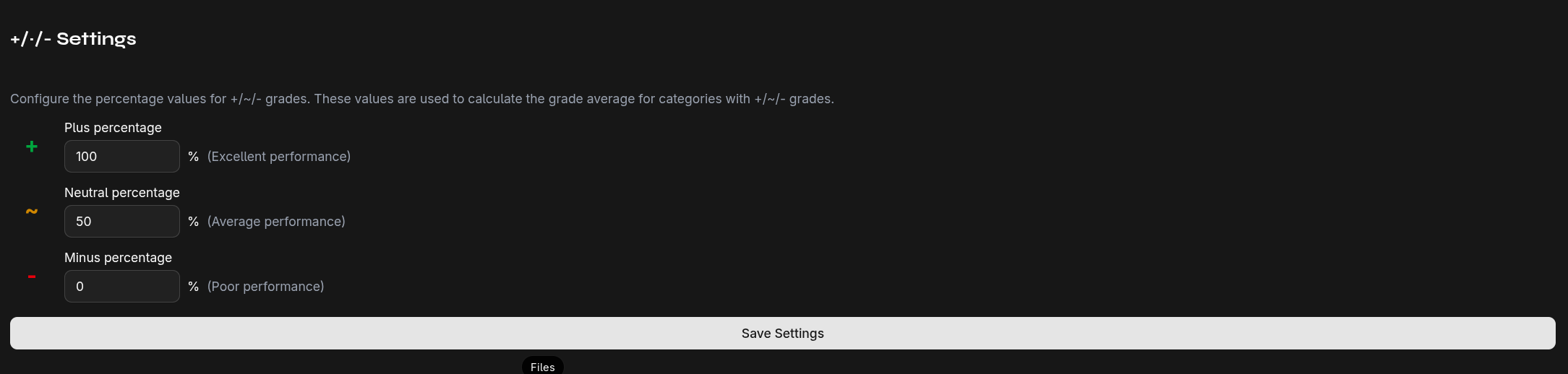
To include plus/minus grades in the overall average, each symbol is assigned a percentage value:
| Symbol | Default Percentage |
|---|---|
| + | 80% |
| ~ | 50% |
| - | 20% |
You can adjust these values under Settings → Plus/Minus.
Calculation in Average
For plus/minus categories, symbols are converted to percentage values and then included in the weighted average with the category's weight.
Example: A student has in the "Participation" category (weight 25%): +, +, ~, -
Average = (80% + 80% + 50% + 20%) / 4 = 57.5%
This percentage is then converted to a grade using the grade ranges and weighted into the overall average.