Registration
You need a personal account to use EduGrade.
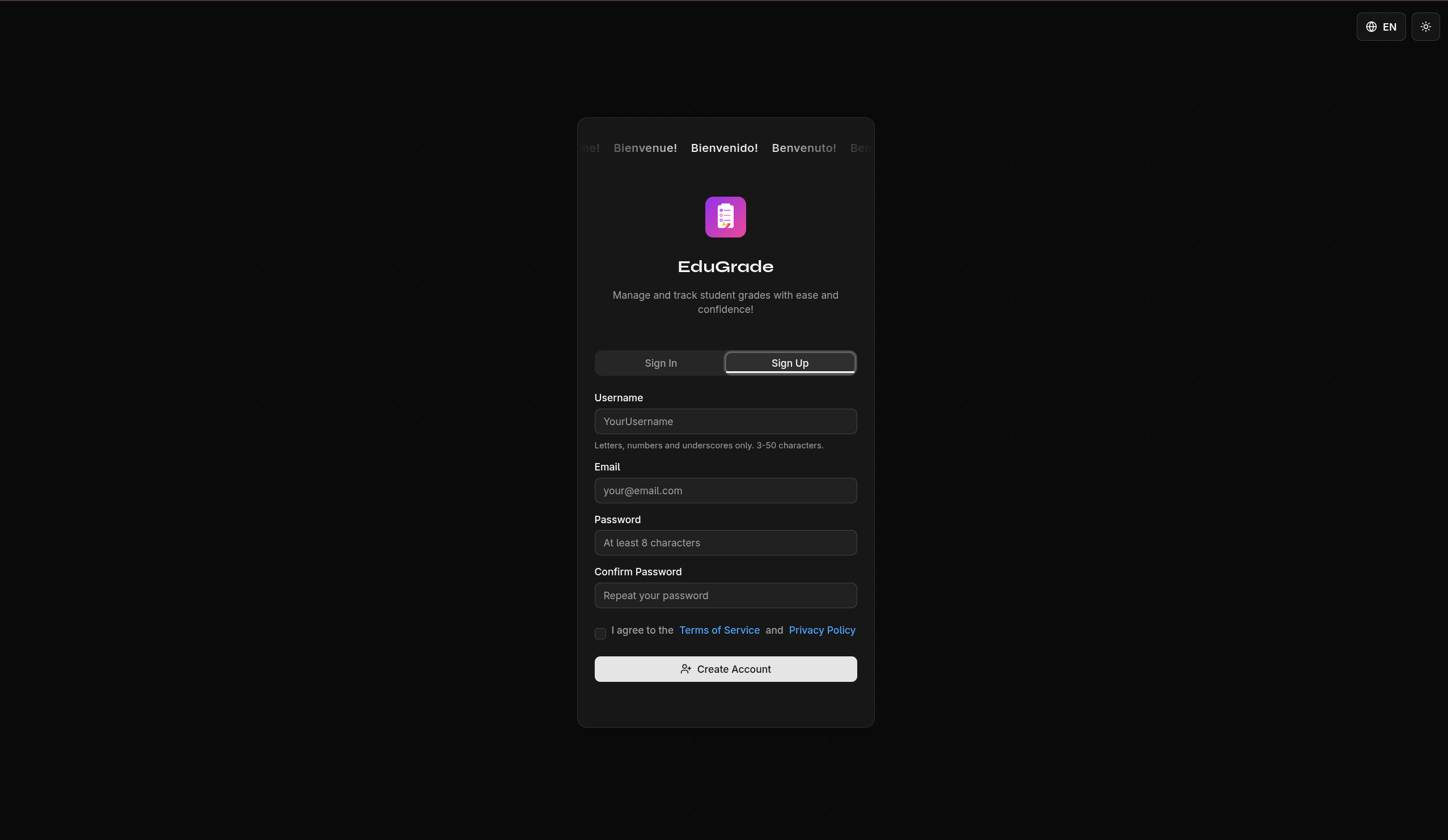
Create an Account
- Open the EduGrade website
- Click Register
- Fill in the form:
- Username — Your desired display name
- Email address — Used for login
- Password — At least 8 characters
- Click Create Account
Recovery Key
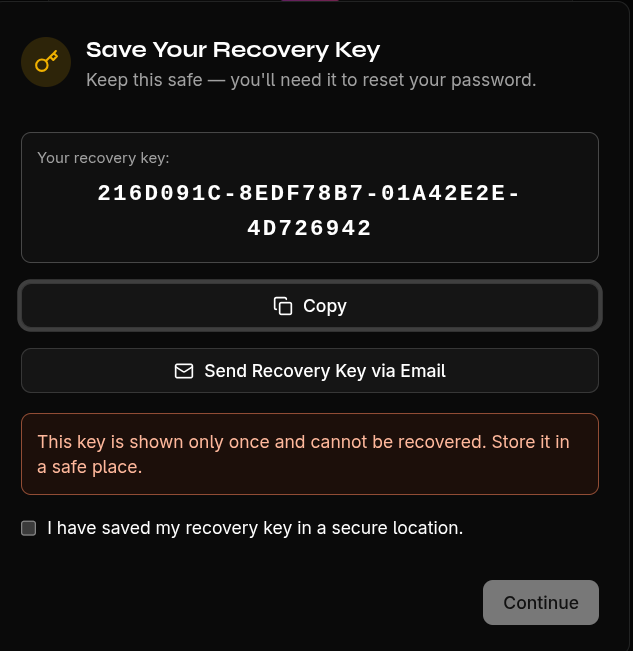
After registration, a recovery key will be displayed.
Important
This key is shown only once! Save it in a safe place (e.g., print it out or store it in a password manager). Without this key, you cannot recover your data if you forget your password.
Send Recovery Key via Email
You can also have the key sent to your email as a PDF attachment. Click the corresponding button in the dialog after registration.
Next Steps
After registration, you will be logged in automatically. Continue with setting up your profile.