Student Detail View
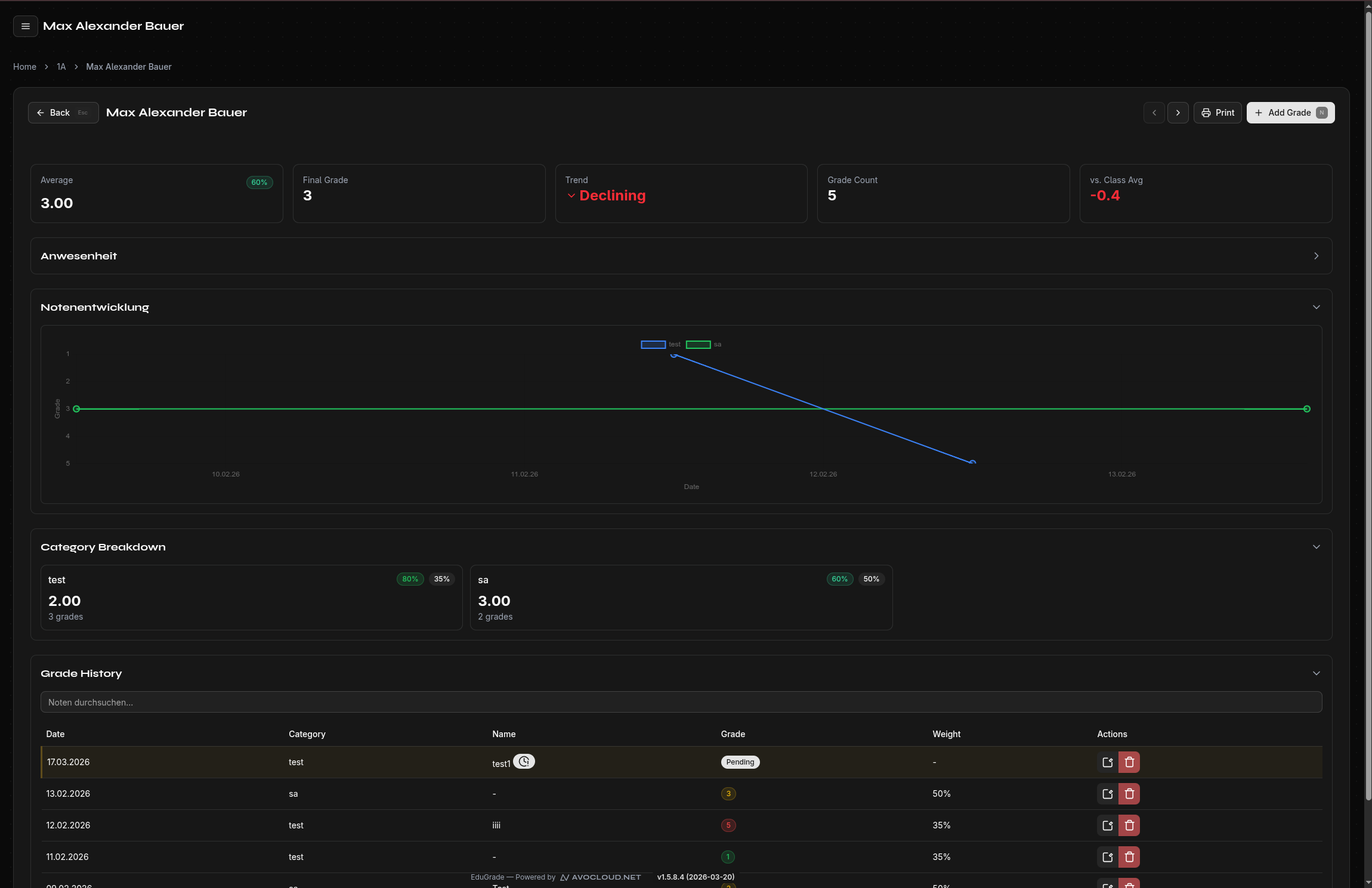
The detail view shows all information about an individual student at a glance.
Open the Detail View
Click on a student's name in the class view to open their detail view.
Information in the Detail View
Grade List
All of the student's grades are listed with:
- Date of the assessment
- Category (e.g., Exam, Participation)
- Label (e.g., "Test 1")
- Grade value
Statistics
- Average — Simple average of all grades
- Weighted Average — Considering category weights
- Grade Count — Total number of recorded grades
Trend Analysis
EduGrade analyzes grade development over time:
| Trend | Meaning |
|---|---|
| ↗ Improving | Grades are getting better |
| ↘ Declining | Grades are getting worse |
| → Stable | Grades remain consistent |
Class Comparison
The student is compared to the class average — so you can see at a glance whether they are above or below average.
Navigate Between Students
Use the forward/back arrows to switch to the next or previous student without returning to the class view.
Search Grades
Use the search function in the detail view to find specific grades by name or value.