Add a Subject
Subjects are managed per school year. Each subject has its own grade table and attendance settings.
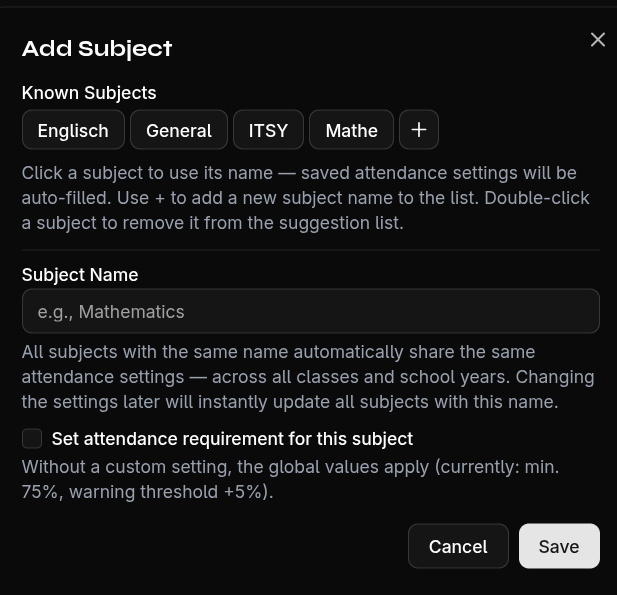
Create a New Subject
- Click the + icon in the subject tab bar (above the grade table)
- Enter the subject name (max. 50 characters)
- Optional: Configure attendance settings:
- Minimum attendance percentage (e.g., 75%)
- Warning threshold percentage (e.g., 5% above minimum)
- Auto-grading — Students below minimum attendance automatically receive a failing grade
- Confirm with Create
Attendance Settings
Each subject can have individual attendance rules:
| Setting | Description | Example |
|---|---|---|
| Minimum attendance | Required attendance in % | 75% |
| Warning threshold | Warning when this close to minimum | 5% |
| Auto-grading | Automatic fail if below minimum | On/Off |
If a subject shares the same name as a default subject, attendance settings are automatically inherited.