Default Subjects
Default subjects are automatically created for every new class. This saves you from manually adding the same subjects each time.
Configure Default Subjects
- Open Settings → Profile
- Scroll to the Default Subjects section
- Enter a subject name and click Add
- Repeat for all desired subjects
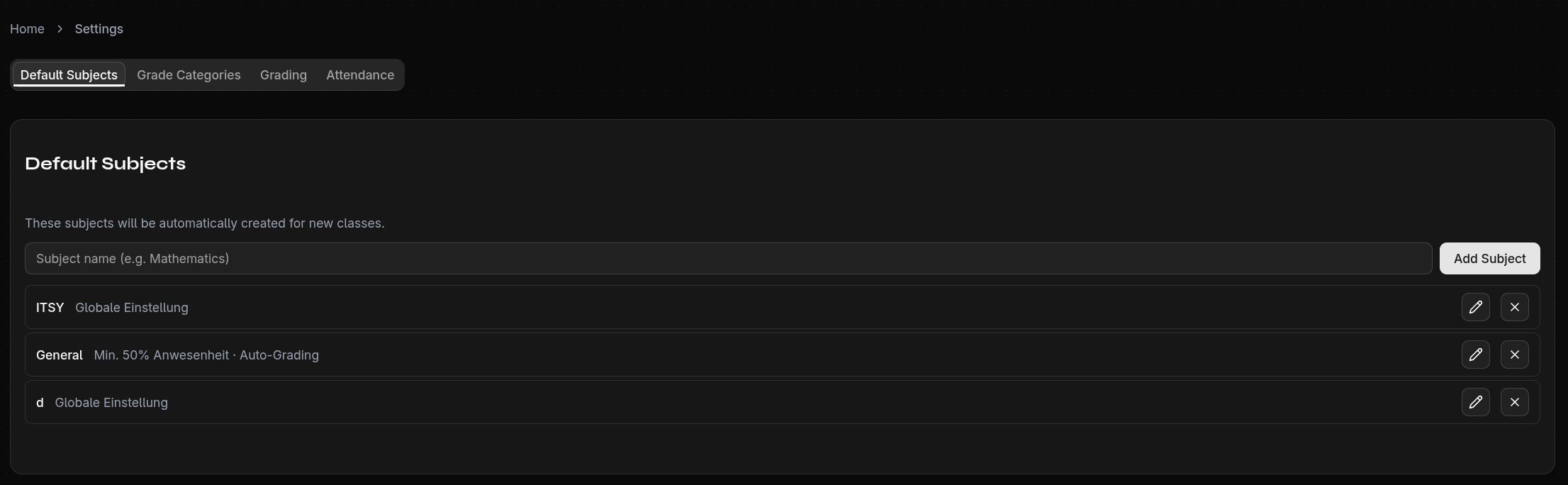
Attendance Settings for Default Subjects
You can set individual attendance rules for each default subject. These are automatically applied to all subjects with the same name.
Synchronization
Default subjects act as templates:
- Changes to a template are applied to all subjects with the same name across all classes and years
- This applies only to attendance settings, not to grades
tip
Set up your default subjects right after registration, before creating your first class.