Edit a Subject
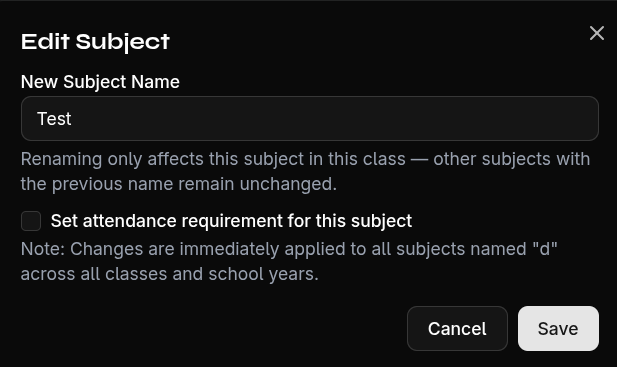
Rename a Subject
- Click the Edit button next to the subject tab
- Change the name
- Confirm with Save
Change Attendance Settings
In the same edit dialog, you can also adjust the subject's attendance settings:
- Minimum attendance — Minimum in percent
- Warning threshold — When a warning is displayed
- Auto-grading — On/Off toggle
Note
If the subject is configured as a default subject, changes to attendance settings are applied to all subjects with the same name across all classes and years.