Record Attendance
EduGrade lets you document student attendance per subject and date.
Record Individual Attendance
- Switch to the attendance view of the class
- Select the subject and date
- Set the status for each student:
| Status | Symbol | Meaning |
|---|---|---|
| Present | ✓ | Student was present |
| Late | ⏰ | Student arrived late |
| Absent | ✗ | Student was not present |
- Optional: Add a note (max. 200 characters)
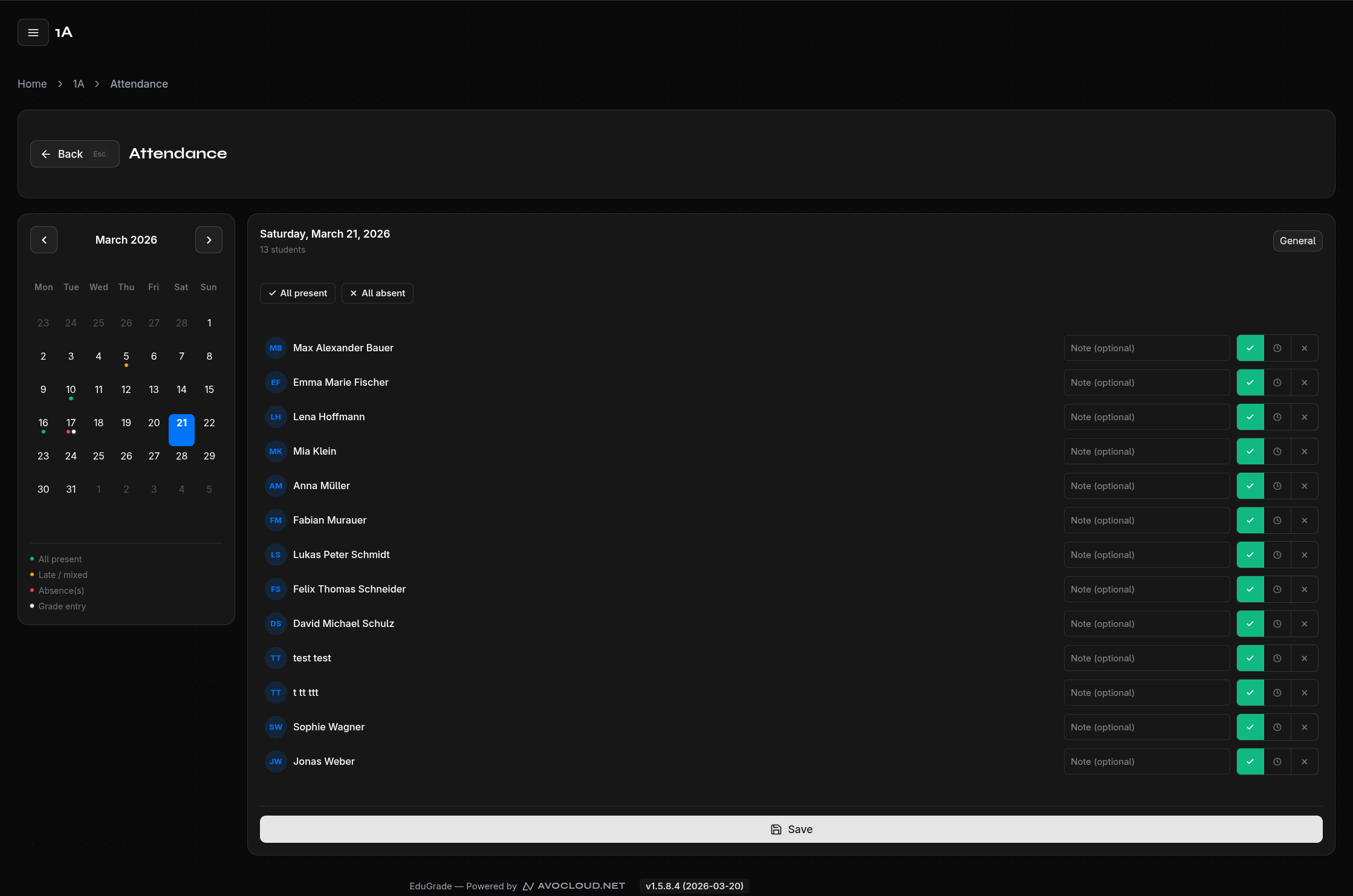
Attendance for the Entire Class
Use the quick actions for the whole class:
- All Present — Sets all students to "Present"
- All Absent — Sets all students to "Absent"
You can then adjust individual students as needed.
Backdated Entries
You can record attendance for past dates by changing the date in the calendar.
Edit Attendance
Click on an existing entry to change its status or note.
Delete Attendance
Individual entries can be removed via the Delete button in the edit dialog.