Attendance Settings
You can configure attendance rules globally and per subject.
Global Settings
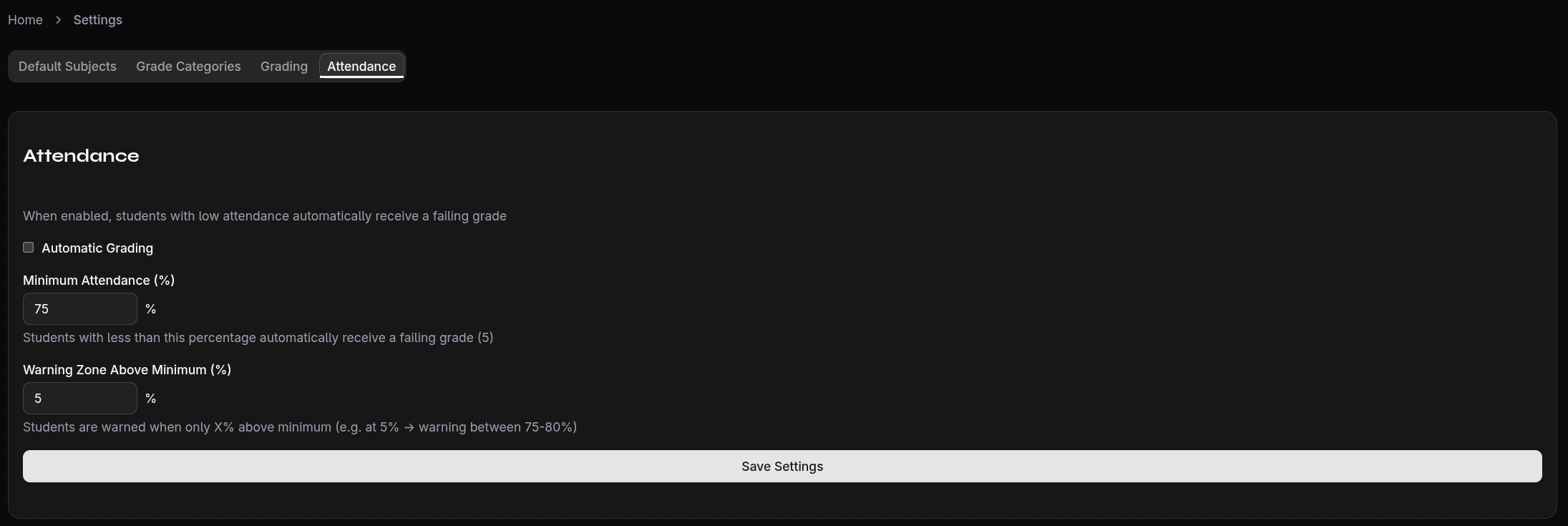
Under Settings → Attendance, set the default values:
- Minimum attendance — e.g., 75%
- Warning threshold — e.g., 5% (warning at 80% with 75% minimum)
These values serve as defaults for all subjects that don't have custom settings.
Subject-Specific Settings
Each subject can have its own attendance rules, configured when adding or editing a subject:
- Minimum attendance — Individual per subject
- Warning threshold — Individual per subject
- Auto-grading — Students below minimum automatically receive a failing grade (5)
Auto-Grading
When auto-grading is enabled for a subject:
- If a student falls below the minimum attendance
- A grade 5 (Insufficient/Fail) is automatically assigned
- This happens without manual input
warning
Auto-grading takes effect immediately when a student falls below the threshold. Review your settings carefully.
Color Warnings
The attendance display uses a traffic light system:
| Condition | Color | Example (75% minimum, 5% threshold) |
|---|---|---|
| Above threshold | Green | ≥ 80% attendance |
| In warning zone | Yellow | 75–79% attendance |
| Below minimum | Red | < 75% attendance |