Manage PINs
Each student receives an individual 6-digit PIN to access their grades.
How Do PINs Work?
- When creating an access link, a 6-digit PIN is automatically generated for each student
- The PINs are shown once after creation
- Students enter the PIN to view their grades
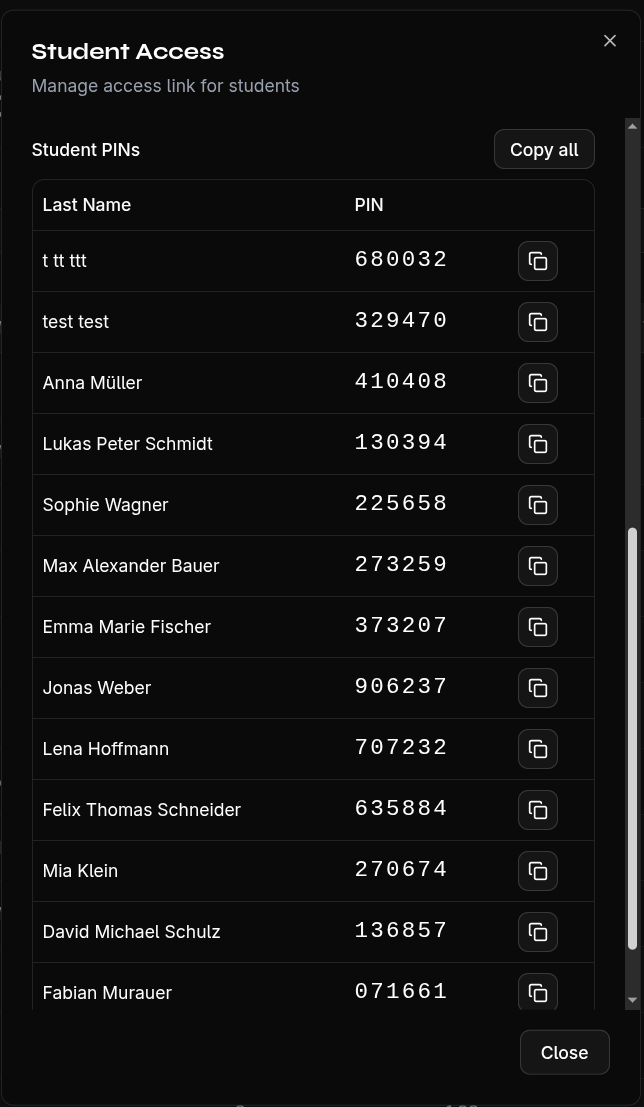
Distribute PINs to Students
- Write down or print the PINs after creation
- Give each student only their own PIN
- Share the access link (URL or QR code) with the class
Regenerate PINs
If PINs are lost or you want to increase security:
- Open the Share Grades section
- Click Regenerate PINs
- Confirm the security prompt
warning
When regenerating, all old PINs become invalid. You must distribute the new PINs to students again.
Student Access
From the student's perspective:
- Students open the access link (or scan the QR code)
- They enter their 6-digit PIN
- They see only the information shared by the teacher
- No editing or exporting is possible